
WHATSAPP WEB SECURITY WARNING: 5 Critical Risks as Centre Advises Against Sharing Sensitive Information
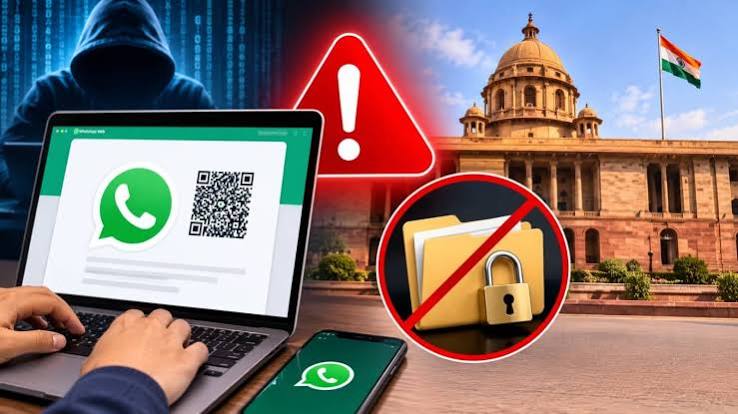
NEW DELHI: The WhatsApp Web security warning issued by the Centre has urged users to avoid exchanging official, financial and confidential information through WhatsApp Web, particularly on office computers, shared systems and public devices. The advisory from the Indian Cyber Crime Coordination Centre (I4C), operating under the Union Ministry of Home Affairs, warns that an authenticated browser session could allow unauthorised individuals to access a user’s WhatsApp account.
The agency has highlighted an important security risk: simply closing a browser tab or window does not necessarily terminate an authenticated WhatsApp Web session. Users must manually log out after completing their work to prevent someone with access to the computer from potentially misusing the account.
The government cybersecurity advisory India users have been discussing also highlights the possibility of message interception, account impersonation, phishing and social-engineering attacks through improperly secured sessions.
The warning is particularly relevant to government employees, organisations and professionals who regularly access messaging services through desktop computers.
Why The Centre Issued A WhatsApp Web Security Warning
The advisory was prepared by the National Cybercrime Threat Analytics Unit (NCTAU) under I4C.
According to the agency, an authenticated WhatsApp Web session may, under certain circumstances, be misused to gain unauthorised access to an account.
This means that if a user leaves WhatsApp Web logged in on a computer that another person can access, that person could potentially use the active session without having to authenticate again.
The agency has identified several possible consequences:
-
Reading private WhatsApp conversations.
-
Sending messages while impersonating the account holder.
-
Accessing saved contacts and group conversations.
-
Using the account holder’s trusted identity to approach other people.
-
Conducting phishing, fraud and social-engineering activities.
These risks are particularly concerning when the account belongs to someone handling confidential organisational or government information.
The advisory does not claim that every WhatsApp Web session is compromised. Instead, it highlights the circumstances under which an unattended authenticated session could be exploited.
Closing A Browser Tab Does Not Log Out WhatsApp Web
One of the most important points in the WhatsApp Web security warning concerns the difference between closing a browser and terminating an authenticated session.
Many users assume that closing Chrome, Microsoft Edge or another browser automatically logs them out of WhatsApp Web.
However, this is not a reliable security measure.
An authenticated session can remain active even after the browser window or individual tab has been closed. If another person subsequently gains access to the same computer and the session remains available, the account could be exposed.
The I4C has therefore advised users to develop the habit of manually logging out after every session.
This precaution is especially important for people using office computers, shared workstations and devices that are accessible to multiple employees.
For additional protection, users should regularly review their connected devices through WhatsApp’s Linked Devices settings and remove any session they do not recognise.
5 Security Precautions Recommended By The Government
The government cybersecurity advisory India users have been alerted to includes several practical recommendations for reducing the risk of account misuse.
1. Manually Log Out After Every Session
Users should select the logout option within WhatsApp Web rather than relying on closing the browser.
This helps terminate the authenticated session when the work is complete.
2. Avoid Public And Untrusted Computers
The agency has specifically advised against accessing WhatsApp Web through cyber cafes, public kiosks, hotel business centres, borrowed laptops and other unfamiliar systems.
Such computers may be accessible to people other than the account holder.
3. Use Private Browsing When Necessary
If accessing WhatsApp Web on a shared computer is unavoidable, the I4C recommends using Incognito or Private Browsing mode.
However, private browsing should be treated as an additional precaution, not a replacement for manually logging out.
4. Keep Devices And Security Software Updated
Users should ensure that their operating systems, internet browsers and security software receive regular updates.
Outdated software can expose devices to security vulnerabilities that attackers may exploit.
5. Avoid Suspicious Downloads And Files
The advisory also cautions users against downloading suspicious files, opening unknown attachments and installing cracked software.
These practices can expose devices to malicious programmes and create additional opportunities for cybercriminals.
How WhatsApp Web Sessions Can Be Misused For Cybercrime
An unattended WhatsApp Web session can create opportunities for several forms of digital abuse.
One concern is identity impersonation. If an unauthorised person gains access to an active account, they may send messages appearing to come from the legitimate account holder.
This can make fraudulent requests more convincing, particularly when messages are sent to colleagues, family members or business contacts who already trust the account.
Another concern is phishing. An attacker could potentially use the compromised account to distribute malicious links or request sensitive information from contacts.
Access to group conversations and contact lists could also expose professional relationships, private discussions and organisational information.
The risks extend beyond individual users. A compromised account belonging to an employee could potentially expose confidential workplace conversations or create opportunities for impersonation-based fraud.
An earlier Uttarakhand SIM box bust also demonstrated how telecommunications infrastructure can be misused in suspected cybercrime operations.
Although SIM-box fraud and WhatsApp Web session misuse involve different technical methods, both highlight the importance of protecting digital identities and communication channels.
What Should Users Do If They Notice Unusual WhatsApp Activity?
The I4C has advised users to remain alert to unusual account behaviour.
Warning signs include unexpected messages sent from an account, unexplained replies from contacts and other activity that the account holder does not recognise.
Anyone noticing such behaviour should review their connected devices and terminate unfamiliar sessions.
Users should also secure their devices, update their browsers and operating systems, and avoid interacting with suspicious files or downloads.
It is important to distinguish an active WhatsApp Web session from a complete account takeover. An unfamiliar session does not automatically establish that an attacker has taken control of the underlying WhatsApp account, but it should be investigated immediately.
The issue of digital identity protection also extends to social media platforms. Meta’s recent Instagram India update highlights the broader challenges platforms face in maintaining safer online environments.
Why The Government Wants Organisations To Avoid Sensitive Work On WhatsApp Web
The advisory has particular significance for government departments, financial institutions and private organisations.
Employees frequently use messaging applications for coordination, document sharing and everyday communication. However, convenience does not necessarily make a platform or device suitable for exchanging confidential information.
An active session left on a shared computer could expose information to someone who was never authorised to access it.
The I4C has therefore recommended that government, organisational, financial, confidential and other sensitive information should preferably not be exchanged through WhatsApp Web sessions on computers.
Organisations should establish clear communication policies and provide employees with approved channels for handling sensitive information.
They should also ensure that shared workstations have appropriate access controls and that employees understand how authenticated sessions work.
The government cybersecurity advisory India has issued is therefore not simply a reminder to log out of a messaging application. It highlights a wider problem involving digital identity, workplace security and the handling of confidential information.
WhatsApp Web Security Warning Highlights Growing Cybersecurity Concerns
The latest WhatsApp Web security warning underscores how seemingly small security habits can have significant consequences.
Leaving an account logged in on an accessible computer may create an opportunity for unauthorised access, even when the user believes the session has ended.
The I4C’s recommendations focus on practical precautions: manually logging out, avoiding untrusted computers, monitoring account activity and keeping devices updated.
For individuals, these steps can reduce the chances of account misuse. For organisations, the advisory highlights the need for stronger digital communication policies and employee awareness.
The government cybersecurity advisory India users should take seriously does not establish that WhatsApp itself has suffered a new security breach. It addresses the risks associated with unattended authenticated sessions and the possibility that someone with access to a computer could misuse them.
As digital communication becomes increasingly important in government offices and workplaces, protecting messaging accounts and confidential conversations remains an essential part of cybersecurity.